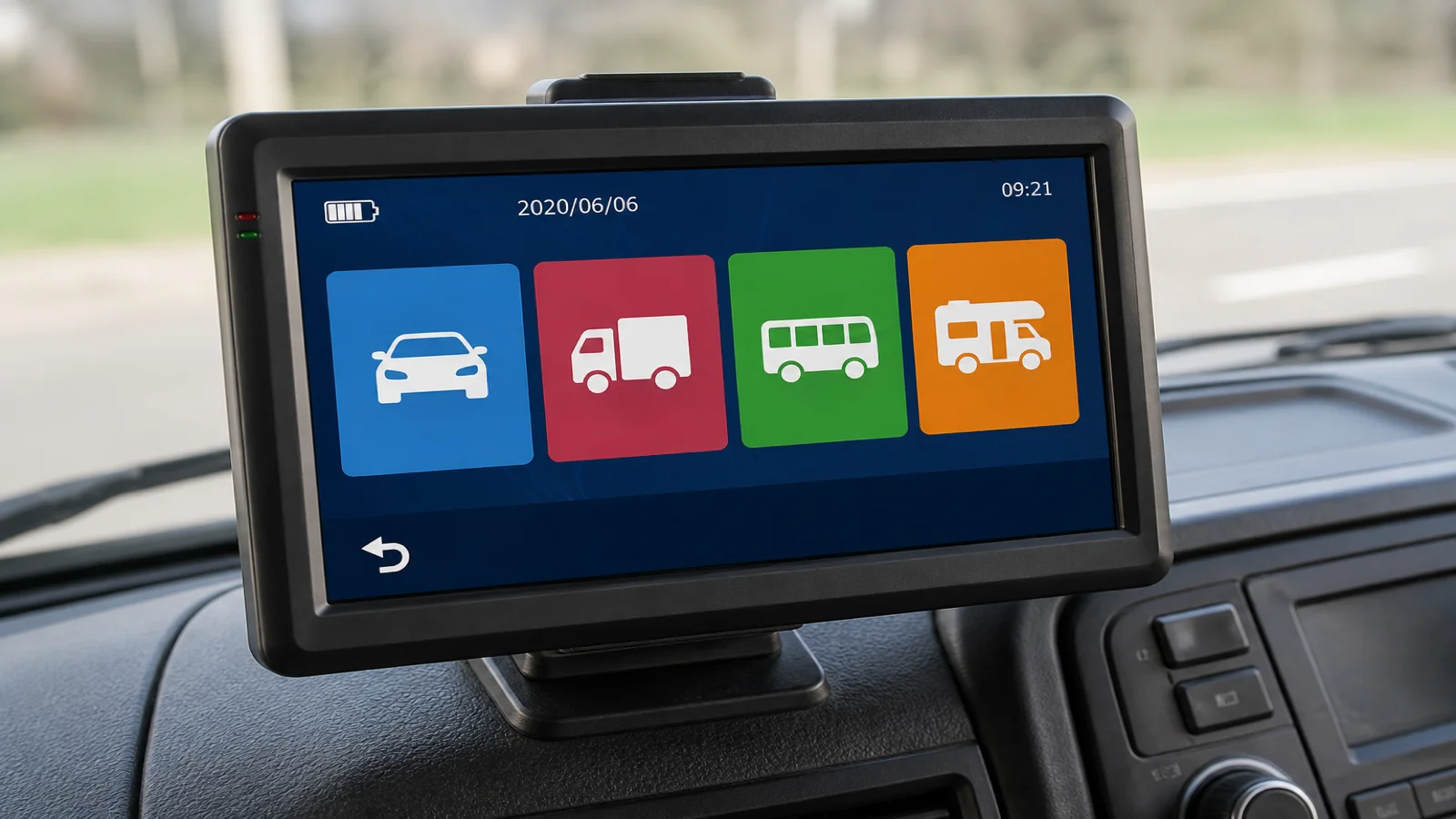
Wrong Vehicle Mode on Truck Sat Nav UK: Truck vs Motorhome vs Car or Bus
Wrong vehicle mode is often more dangerous than leaving height, width and weight blank. A blank profile may still warn you that dimensions are missing; the wrong mode can quietly route you as if you were a car, a coach, or a leisure vehicle when you are none of those things. On a truck sat nav used in the UK, choose the mode that matches how the vehicle is legally and physically treated on the road, then enter height, width and weight before you move off.
Why the wrong mode beats empty dimensions for risk
Empty fields are obvious; you can see the profile is incomplete and stop. The wrong mode is subtler. Car mode assumes roads that large goods vehicles should treat with caution. Truck mode expects a commercial profile. Motorhome mode fits leisure vehicles; bus mode fits passenger vehicles; pedestrian mode is for walking, not driving.
If you leave car mode on after a private trip and then load a laden rigid, the route may still look “correct” while ignoring the class you are driving. Mode comes first: dimensions only help inside the mode you selected.
What the seven modes are for
The TruckNav 7-inch automotive navigation system lists seven vehicle modes: car, bicycle, ambulance, bus, taxi, truck and walking. There is no dedicated motorhome profile. Use the mode that matches the vehicle class, not a label of convenience.
- Truck — for goods vehicles where entered height, width and weight should drive restriction-aware routing.
- Bus — for coaches and buses; do not use this as a shortcut for a rigid or artic just because both are large.
- Motorhome — for motorhomes and similar leisure vehicles; useful when that is what you are driving, misleading when you are on a commercial trunking job.
- Car — for cars and light private use; the fastest way to inherit car-friendly roads you may not fit.
- Pedestrian — for walking legs only; never leave this active when you intend to drive.
If your unit lists further modes beyond these, treat them the same way: match the vehicle and the job, not the mood of the day.
Truck vs motorhome vs car or bus — a practical choice
Ask three questions before you tap a mode.
- What am I driving today — a goods vehicle, a bus, a motorhome, a car, or am I on foot?
- Will height, width and weight matter for legal access and physical clearance?
- Am I about to inherit yesterday’s profile from a different vehicle?
A driver who last used the unit in a car should not keep car mode for a box van or HGV. A motorhome trip should not stay on truck settings from a trunking run. A coach driver should not “borrow” truck mode and hope the numbers alone fix passenger-vehicle routing. Mode sets the ruleset; dimensions fill in the numbers.
The TruckNav 7-inch unit supports height, width and weight profiles once the right mode is active. Search by postcode, address or POI, with 2D/3D views, lane guidance, voice navigation and speed-camera alerts — useful on route, not an excuse for the wrong class.
Departure checklist: mode, then measures, then route
Run this every time the vehicle, trailer, load or driver changes.
- Confirm vehicle mode — truck, bus, motorhome, car or pedestrian as appropriate.
- Enter height, width and weight — use measured values with sensible allowance; do not guess from memory after a trailer swap.
- Set the destination — postcode, full address or a clear POI, then review the suggested route before you pull away.
- Check the first miles — look for low bridges, width limits and weight restrictions that signs will confirm on the ground.
- Keep road signs first — if the device and a sign disagree, follow the sign and legal restrictions.
Mount the unit with the suction mount or back clip so you can see prompts without leaning. The included vehicle charger keeps power stable on longer runs. Bluetooth hands-free calling and the FM transmitter are for calls and audio; they are not a substitute for checking mode. The capacitive 7-inch 800×480 screen is large enough to read mode and profile fields clearly before you accept a route.
Boundaries: what mode selection cannot do
Vehicle mode and dimension fields help the software choose a more suitable path. They do not create continuous real-world width data for every lane, they do not replace temporary restrictions, and they do not override road signs. Map coverage for this unit includes European maps with UK coverage; maps are IGO or Navitel, with free lifetime updates; still treat every route as guidance. There is no claim of live traffic in this guide. Always follow road signs, legal restrictions and current conditions as you find them.
Hardware context that matters for day-to-day use: MSTAR2531 processor, Windows CE 6.0, 8 GB storage plus a 32 GB TF card, and a 1200 mAh battery. AV-IN via 2.5 mm with the included 12V rear-view camera helps when reversing; it does not choose truck versus car mode for you.
FAQ
Is truck mode always safest for a large van?
Use the mode that matches the vehicle class you are driving and then enter accurate height, width and weight. A large van may need truck-style caution, but copying bus or motorhome settings without thought is not a fix.
Can I leave dimensions blank if the mode is right?
No. Mode without measures still leaves clearance and weight decisions incomplete. Enter both.
What if I switch between car and truck in one day?
Change mode and re-enter or re-confirm the profile every time you change vehicle. Yesterday’s car route is not today’s goods-vehicle plan.
If you need a portable unit with vehicle modes including car, truck, bus and walking, plus height, width and weight profiles for UK and European mapping, see the TruckNav 7-inch automotive navigation system.