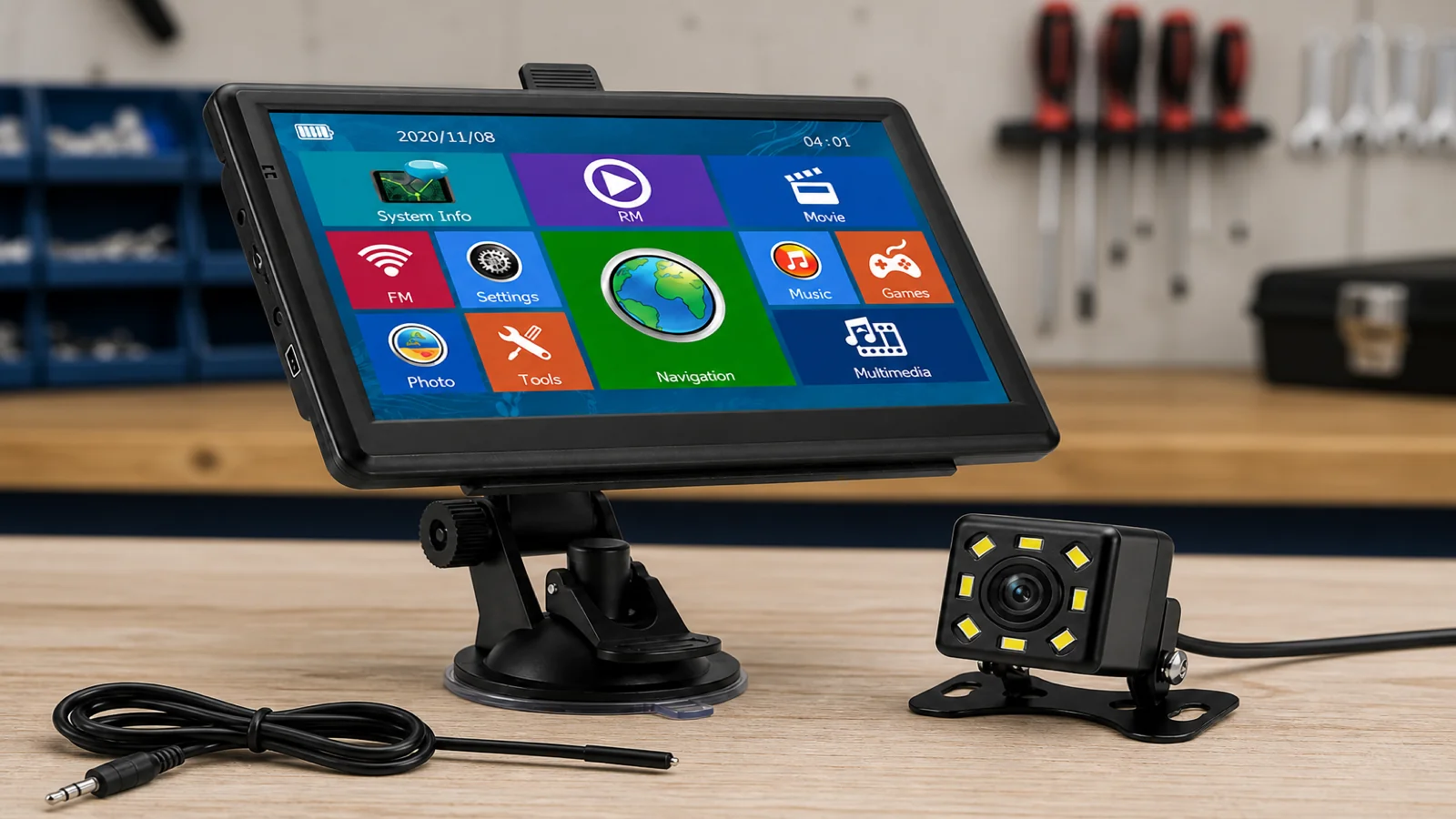
Portable Sat Nav Rear Camera: What Installation Really Involves
A portable sat nav with a rear camera is not a factory reverse-camera kit. On a TruckNav 7-inch navigator the camera arrives in the box, connects through wired AV-IN (2.5 mm), and you switch to that input yourself. Expect cable routing, a 12V camera feed, and a view that depends on mounting height and ordinary vehicle lighting at night — not automatic gear-linked screen change or a night-vision specification.
What you actually get in the box
The package includes the GPS, a compatible 12V rear-view camera, vehicle charger, USB cable, suction mount, back clip, and manual. The sat nav is a 7-inch 800×480 capacitive touchscreen on Windows CE 6.0 with an MSTAR 2531 processor, 8 GB storage plus a 32 GB TF card. Navigation covers European maps with UK coverage (IGO or Navitel, free lifetime updates), postcode/address/POI search, 2D/3D views, lane guidance, voice prompts and speed-camera alerts, plus vehicle modes (car, bicycle, ambulance, bus, taxi, truck and walking), entered height/width/weight profiles, Bluetooth hands-free and an FM transmitter.
Those features serve routing; the rear camera is a separate AV-IN input. Treat install as wiring and viewing, not as reverse “just appearing” when you select reverse gear.
Cable routing: where the work really is
Most of the job is running the camera cable from the rear to the windscreen or dash without trapping it in a door shut, rubbing a hinge, or leaving a loop that catches boots. Use existing loom routes under seals, headlining edges or scuff plates — never drill safety structures unless a qualified fitter approves it.
- Plan length before you mount: vans and trucks need more spare than a hatchback.
- Protect the plug while you pull; a damaged AV connector means a blank screen later.
- Leave a service loop at camera and sat nav so suction mount or back clip can move without yanking the cable.
- Keep clear of sliding doors, tail-lifts and fridge vents on commercial vans.
A wired AV-IN link is steadier than phone apps or wireless adapters for a reverse glance — why many drivers prefer a dedicated 2.5 mm path once the loom is tidy.
Powering the 12V camera
The included camera needs a switched 12V supply — often reverse-light work by a competent installer, or another ignition-switched feed if you only watch when parked. Do not guess fuse ratings or pierce airbag looms; use a fitter who understands commercial electrics if unsure.
The sat nav’s 1200 mAh battery and vehicle charger keep the display running for navigation; they do not replace a correct camera power tap. Keep navigation on the vehicle charger on long runs so Bluetooth, FM or map search stay awake.
Manual AV-IN: how you see the picture
Once power and video are connected, open AV-IN on the sat nav to view the camera. No automatic reverse switching is claimed. In practice:
- stop or crawl before you look down to change input;
- learn the menu path so you are not hunting icons while reversing;
- switch back to the map when you pull away so lane guidance and voice return.
That manual step is the trade-off for a portable kit that moves between vehicles on suction or back clip. OEM screens may automate the change; this bundle keeps the camera simple and movable.
Night, rain and what the picture can show
At night you rely on the vehicle’s lamps, yard lighting and ambient light. Do not expect a night-vision specification that was never stated. Rain, mud and a low mount wash out detail faster than a clean, high mount in daylight. Wipe the lens, aim at the hitch or bay you care about, and still use mirrors and a banksman where required.
The camera shows what is behind the bumper; it does not replace mirrors or give gate-level map precision. Navigation still uses postcode, address or POI — useful for finding the estate, not inventing a bay number the map never knew.
Mounting the display so AV-IN stays usable
Use the suction mount on clean glass, or the back clip where suction will not hold. Sit the 7-inch screen within easy reach for a brief AV-IN tap, without blocking airbags or your view. After rough yards, re-check the cup; a dropped unit helps nobody when you need reverse view.
Boundaries worth stating clearly
This kit does not claim automatic reverse-gear screen switching, night-vision performance, live traffic, or door-/gate-level destination accuracy. Free lifetime map updates are stated for IGO or Navitel maps. Always follow road signs, legal restrictions and current traffic conditions over any on-screen suggestion. Dimension-aware modes help routing; they do not excuse ignoring a low bridge plate or weight limit.
FAQ
Is the rear camera included?
Yes. A compatible 12V rear-view camera is in the bundle, with AV-IN via 2.5 mm on the sat nav.
Will the picture appear automatically in reverse?
No automatic reverse cut-in is claimed. Select AV-IN manually when you need the view.
Can I move the camera between vehicles?
Yes in principle, but each vehicle needs its own cable route and 12V feed. Many drivers fit the camera in the main work vehicle and keep the sat nav movable on suction or back clip.
For the 7-inch portable navigator with Bluetooth, FM, AV-IN and the included 12V rear camera, see the 7-inch automotive navigation system on trucknav.co.uk.