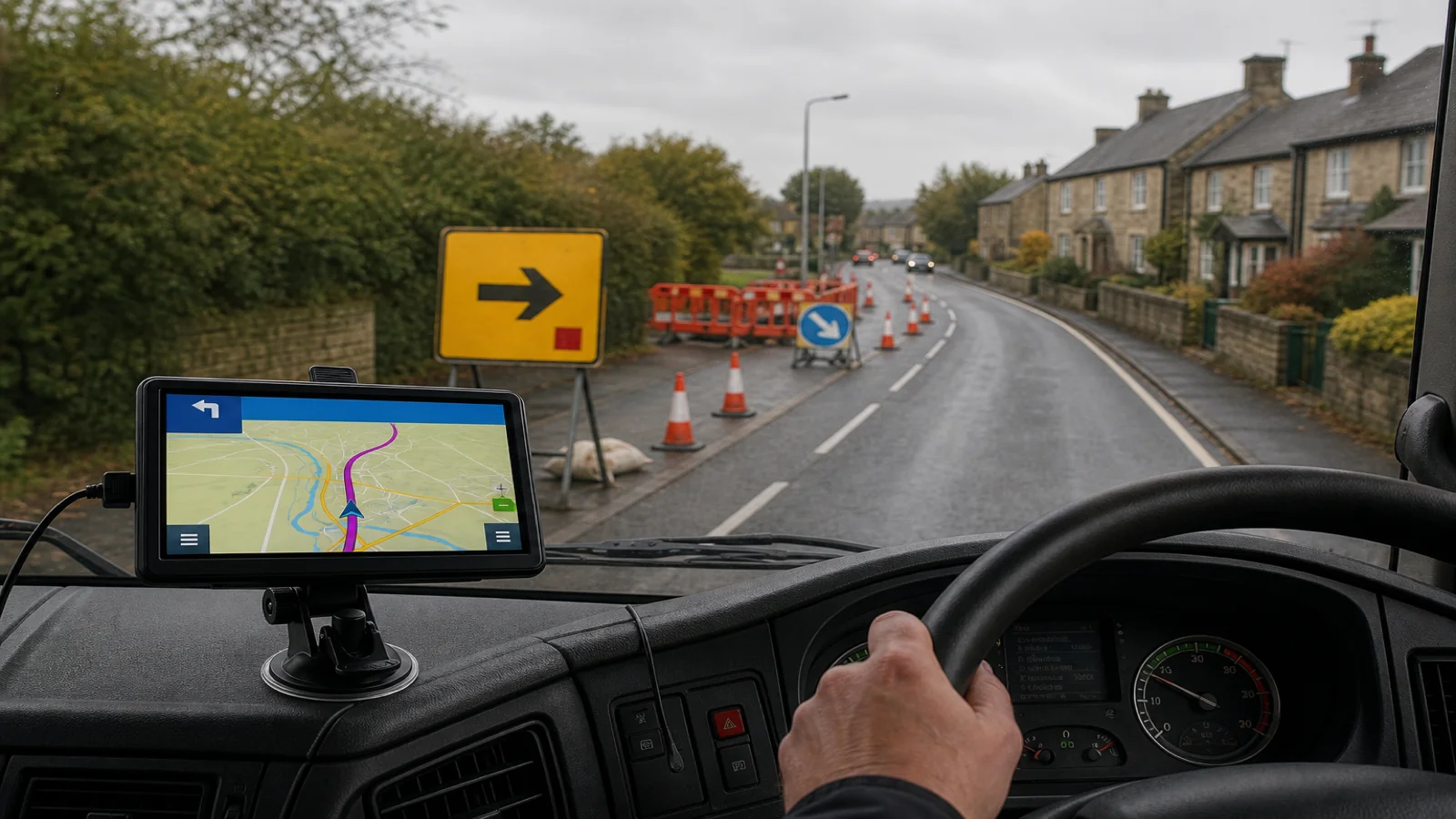
When Roadworks Diversions Send Your HGV Onto a Weight-Restricted Village Road
Follow the official diversion signs first, then stop somewhere safe and recalculate. Do not let your sat nav invent a second “better” route through a weight-restricted village. Temporary works on trunk roads and A-roads are routine for UK vans and HGVs. Cones appear overnight, a signed diversion starts, and a portable navigator that was happy with your truck profile may try to leave the signed path the moment it sees a closed link.
That second calculation is where drivers get caught. Diversion boards may point along a managed temporary corridor. The device may prefer a shorter cut through a high street with a weak bridge or a tonne limit. Signs and legal restrictions outrank the screen.
Official diversion versus sat-nav re-routing
An official diversion is temporary traffic management. The closed road or junction is unavailable for a reason. Your sat nav does not receive those cones as a live feed unless a product explicitly states a traffic or temporary-closure service — and many portable units do not.
When the map still shows the old road as open, or marks a closure but chooses a different bypass, the device recalculates from map data and the vehicle profile you entered. That recalculation can look confident on a 7-inch screen while being illegal or physically wrong for your weight.
Treat the signed diversion as the primary instruction. Use the sat nav for turn names and distances along that path — or re-engage it only after you leave the works zone and need a fresh plan to the destination.
Why a truck profile may still suggest a restricted village road
Profiles help; they are not a guarantee. On a portable 7-inch GPS navigator such as the TruckNav unit, you can choose vehicle modes including car, bicycle, ambulance, bus, taxi, truck and walking, and enter height, width and weight. There is no dedicated motorhome profile. That information only works with what the map database knows and how routing applies it.
Typical failure modes:
- The weight limit is signed on the ground but missing or outdated in the map data.
- An “except for access” plate is misread for your job.
- The official diversion uses a road the map rates poorly, so the router hunts a village cut-through.
- You are still in car mode, or weight was left blank after a trailer change.
- You accepted a recalculation prompt while rolling, without reading the preview.
Check mode and dimensions before the job, watch signs during the diversion, and refuse illegal shortcuts.
A practical sequence at roadworks
- Slow early and read the boards. Note diversion start, HGV-specific panels, and whether cars and goods vehicles are split.
- Stay on the signed route even if voice prompts urge an earlier village turn.
- Do not leave the diversion to “beat the queue” through residential streets with weak bridges or posted limits.
- When the diversion ends, stop in a safe lay-by, industrial entrance or designated parking — not on a blind bend.
- Confirm vehicle mode and profile. Truck or bus as appropriate; height, width and weight as measured for this load.
- Set the destination again by postcode, address or POI if needed, preview in 2D or 3D, and check lane guidance for the next major junction.
- Move only when the preview looks legal. If the first turn enters a signed restriction, reject it and choose another option or plan manually.
Voice navigation and speed-camera alerts remain useful after you rejoin a normal route. They do not override a weight plate on a village approach.
What the screen is still good for
A capacitive 7-inch 800×480 display is large enough to read junction names without a phone cable tangle. Lane guidance helps on multi-lane returns to the dual carriageway. Postcode or address search helps when a diversion dumps you near an unfamiliar estate and you need the customer gate.
Bluetooth hands-free calling and an FM transmitter can reduce phone handling when you tell the depot you are delayed. That is communication support, not route authority. A suction mount and vehicle charger keep the unit visible; they do not put temporary signs into the map database.
AV-IN with the compatible 12V rear-view camera included in many portable kits is for low-speed visibility after you stop — not for deciding whether a diversion lane is legal for your weight.
Legal boundary
Always follow road signs, legal restrictions and current traffic conditions. A sat-nav suggestion is not a defence if you enter a weight-restricted road, strike a bridge or ignore a temporary prohibition. Obey banksmen, temporary lights and convoy systems on site.
If a signed diversion looks too tight for your vehicle, stop short, contact your traffic office, and wait. Pushing on because “the box said turn left” is how village kerbs and weak bridges get damaged.
Where this applies — and where it does not
Applies when: you drive a van, truck, bus or motorhome on UK roads; you use a portable sat nav with vehicle modes and dimension fields; you hit temporary works with signed diversions; you are tempted to accept an automatic recalculation into a shortcut.
Does not apply when: you are in pedestrian mode for the last metres to a door; you are on a private site with its own rules; a company routing desk already issues mandatory turns for the works; police are directing an emergency corridor.
Short FAQ
Should I switch the sat nav off for the whole diversion?
You can mute prompts and follow signs, or leave the map visible for orientation without accepting new routes. Do not let recalculation override the boards.
Is truck mode enough to block village weight limits?
No. Mode and entered weight only help when map data knows the restriction. Signs still win.
When should I recalculate?
After the diversion ends, when stopped somewhere safe, and after confirming height, width and weight for the current vehicle and load.
What if the official diversion itself looks unsuitable?
Stop and seek advice. Do not invent a third route through an unsigned residential cut.
If you want a portable 7-inch GPS navigator with European maps including UK coverage, vehicle modes, dimension-based profiles, Bluetooth, FM transmitter and an included rear-view camera kit for careful low-speed work after you stop, see the TruckNav 7-inch automotive navigation system details.